See Orca Spot at work
This short Orca Spot demo follows the whole job, from choosing a playbook to approving an email. The example is a web design company looking for clients, and the businesses and people on screen are made up.

This short Orca Spot demo follows the whole job, from choosing a playbook to approving an email. The example is a web design company looking for clients, and the businesses and people on screen are made up.
Got a Gmail, Google Workspace or Microsoft 365 address? Connect it with an app password, and Orca Spot checks your email setup before anything goes out. Add one older mailbox of your own, and WarmUp starts the gradual ramp.
Pick the playbook for your kind of business and say who you want to reach. Each campaign covers one kind of business, so the emails stay on topic. If your niche is missing, ask us and we’ll prepare one in several days.
Search for a trade in a city. Orca Spot checks the websites it finds and shows the good leads on the map. One click adds them.
Think of Adam as your own employee. It reads each website and writes the first email and the follow-ups. A robot icon marks each lead Adam has checked: green means a lead, red means not one. Open any lead to read the drafts.
Change what bothers you and hit Approve. Your mailbox then sends them a handful at a time, with your address and an opt-out at the bottom.
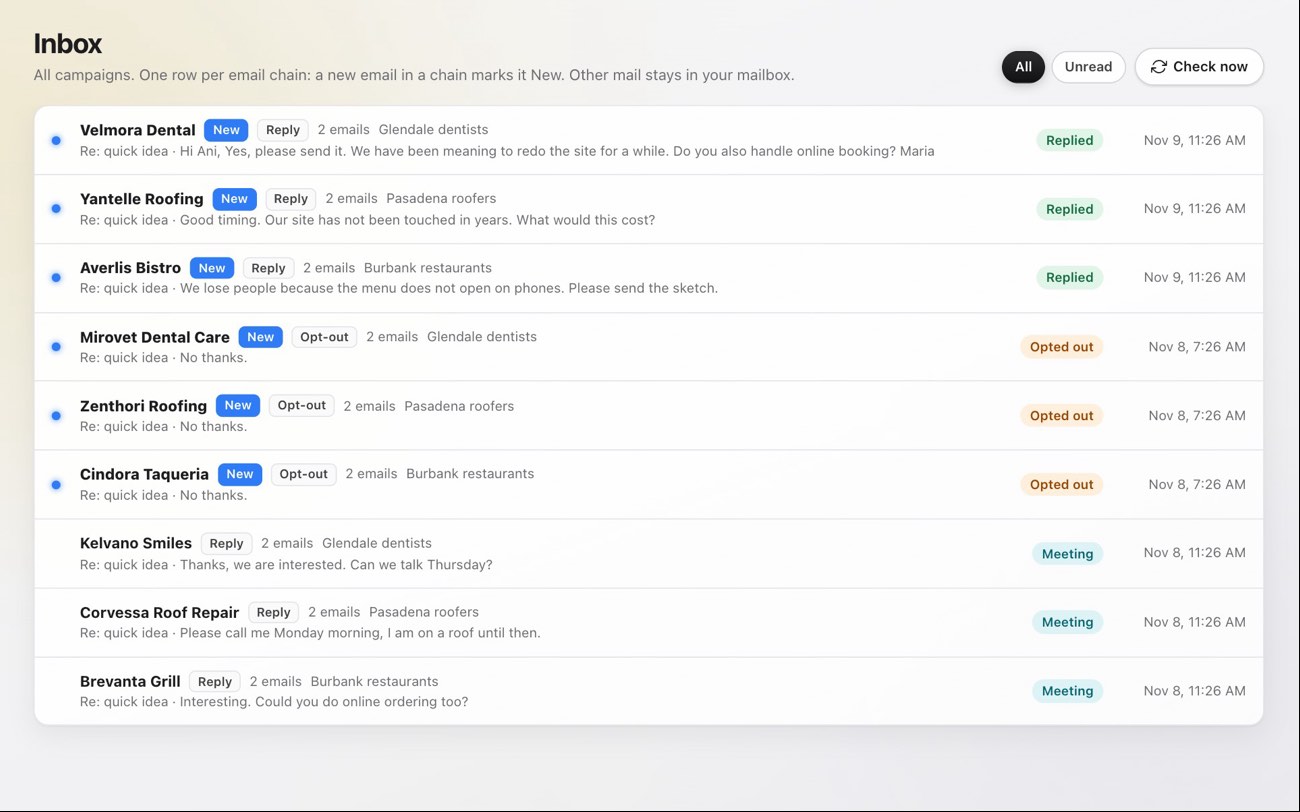
Replies arrive in one Inbox. Drag each lead along your board, from New to Client. Opt-outs and bounced addresses go on the do-not-email list by themselves.
Every screen sits inside one web app. There is nothing to install, and every plan gets the same tools.
Leads, emails sent and mailboxes at a glance.
Search by trade and city, on a map.
Every business, its email and its stage.
Drag a lead from New to Client.
Businesses with no email, ready to phone. Orca Spot places no calls.
Replies, one row per email chain.
Your playbook and who you want to reach.
Each address sends a few emails a day and reads its own replies.
The sending ramp for new mailboxes.
Opt-outs and bounces land here by themselves.
Your plan, your credits and one-click cancel.
Short notes that shape how Adam writes for your account.